


 info@fmf.co.th
 (+66) 097-034-6625
 LINE it!
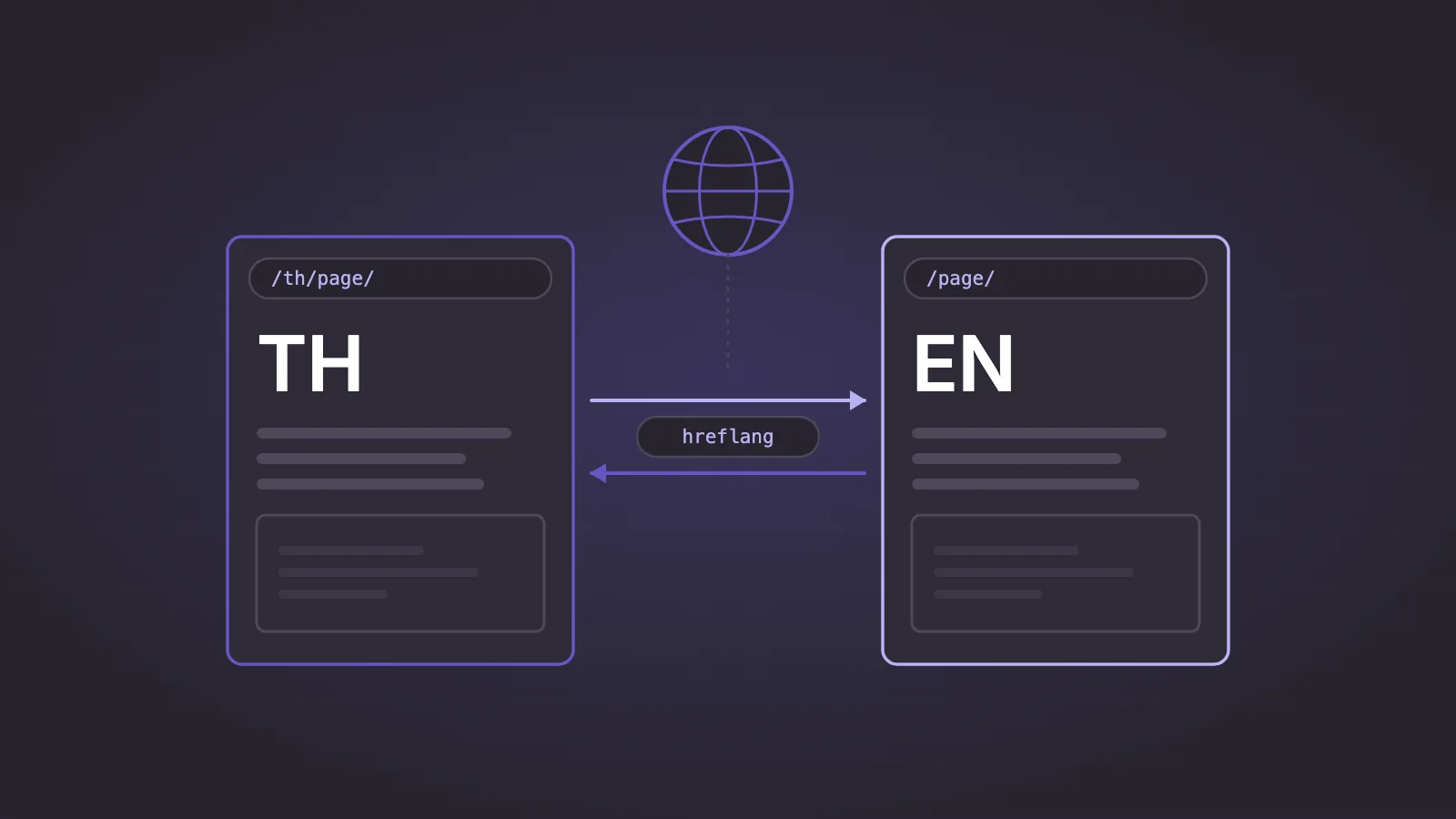
A Thai–English website ranks well in both languages when each language has its own URL, each pair of pages points to the other with reciprocal hreflang, every page has a canonical in its own language, and the Thai content is written for Thai searchers instead of being translated word for word. Most problems we see on bilingual sites come from one of those four points, or from redirecting visitors automatically by location or browser language.
This checklist is for the marketing manager or developer responsible for a site that serves both Thai and English readers. Each recommendation was checked against Google's documentation on 15 November 2026. Sources are listed at the end, and points that are our own practice are marked as such.
1. URL structure and language targeting
- Give each language its own URL. Google recommends different URLs for each language version, not cookies or browser settings that change the language on one URL.
- Choose one pattern and keep it. Google's documented options are a country domain (
example.co.th), a subdomain (th.example.com) or a subdirectory (example.com/th/). It describes subdirectories as easy to set up and low maintenance, and does not recommend URL parameters such as?lang=th. - Decide whether you are targeting a language or a country. A Thai version is a language version. It serves Thai readers anywhere. A country domain such as
.co.this a signal for Thailand as a market, and Google notes that it can only target a single country. - Pick a slug policy. Google's URL guidance says to use words in your audience's language and, where applicable, transliterated words, with non-ASCII characters percent-encoded in links. Both Thai-script slugs and Latin slugs are therefore acceptable. In our experience, Thai-script slugs become long percent-encoded strings when pasted into chats and emails, so we prefer short Latin slugs. Apply one policy to the whole site.
How this site is set up: English pages sit at the root (/), Thai pages sit under /th/, and the Thai section uses Latin slugs. If you are planning a new build, settle these decisions before website development starts, because changing URL structure later means redirects and a period of re-indexing.
Giving the Thai version its own URL
Choose one pattern and keep it across the whole site.
Google's documented options
A separate URL for each language
- Country domain
example.co.th
A signal for Thailand as a market; can only target a single country - Subdomain
th.example.com - Subdirectory
example.com/th/
Described by Google as easy to set up and low maintenance
This site: English at the root (/), Thai under /th/, with Latin slugs.
Not recommended by Google
One URL, language switched in place
- URL parameters such as
?lang=th - Cookies or browser settings that change the language on one URL
2. hreflang
hreflang tells Google that two URLs are language versions of the same page, so it can show the right one to each searcher. The rules below come from Google's documentation on localized versions.
- Each version lists itself and every other version. The set of links is identical on both pages.
- Links must be reciprocal. If the English page points to the Thai page and the Thai page does not point back, Google states that the tags will be ignored.
- Use fully qualified URLs, including
https://. - Use valid codes. The first code is the language in ISO 639-1 format (
th,en). A region is optional (th-TH). A country code on its own is not valid. For a site with one Thai and one English version,thandenare enough. - Add
x-defaultas the fallback for searchers whose language matches neither version. On a two-language site it usually points to the English page.
This block goes in the <head> of the English page and, unchanged, in the <head> of the Thai page:
<link rel="alternate" hreflang="en" href="https://example.com/services/" />
<link rel="alternate" hreflang="th" href="https://example.com/th/services/" />
<link rel="alternate" hreflang="x-default" href="https://example.com/services/" />
One page, two language versions
Each version has its own URL and canonical, and both carry the same hreflang set.
English page
example.com/services/
Thai page
example.com/th/services/
Same hreflang set in the <head> of both pages
- en
- https://example.com/services/
- th
- https://example.com/th/services/
- x-default
- https://example.com/services/ fallback for other languages
Pages that exist in one language only
Not every page needs a translation. When a page exists only in English, do not point its Thai hreflang at the Thai homepage or at a URL that returns a 404. Our practice on this site is that a single-language page lists only itself and x-default, and gains a Thai alternate on the day the Thai page is published.
3. Canonicals and duplicates
- Give every page a self-referencing canonical in its own language. The Thai page's canonical is the Thai URL. Google's guidance for sites using hreflang is to specify a canonical page in the same language.
- Never point the Thai canonical at the English page. That asks Google to drop the Thai page from its index. Translated pages are not duplicates: Google treats localized versions as duplicates only when the main content is left untranslated.
- Redirect duplicate URL forms. If
/th/and/th/index.phpboth return the page, use a permanent redirect to the version you want indexed. Google lists redirects as a strong canonical signal. - Send one consistent signal. Use exactly the same URL form in the canonical, the hreflang links, the sitemap and internal links. Google advises against naming different URLs as canonical through different methods.
How this site is set up: each page's canonical is its own directory URL, the English and Thai homepages list each other, and requests for index.php variants return a 301 to the directory URL.
4. Content: localise, don't just translate
- Translate the whole page, not the template. Google identifies a page's language from its visible content and recommends one language for content and navigation on each page, without side-by-side translations.
- Do Thai keyword research separately. A translated English keyword is often not the phrase Thai people type. In our work, Thai queries often mix Thai words with English brand and technical terms. Start from Thai search data, then write the page.
- Write titles in the language of the page. Google asks for
<title>text in the same language and writing system as the main content, and may replace a title that does not match. - Do not redirect by IP address or browser language. Google advises against automatically redirecting users between language versions. It also notes that Googlebot usually crawls from the United States and sends no
Accept-Languageheader, so a forced redirect can hide your Thai pages from the crawler. A visible suggestion such as “ดูหน้านี้เป็นภาษาไทย” is safer than a redirect.
5. Technical points specific to Thai
- Set the
langattribute. Use<html lang="th">on Thai pages and<html lang="en">on English ones, following W3C guidance. Google says it does not uselangto detect language, so treat it as a benefit for browsers and assistive technology, not a ranking factor. - Test line breaking. Thai does not put spaces between words, so the browser has to work out where a line may wrap. Check headings and buttons on a narrow screen. Where a break lands badly, a
<wbr>element marks an allowed break point. - Do not split Thai text on spaces in code. Excerpts, on-site search and word counts built on
split(" ")give wrong results for Thai.Intl.Segmenterin JavaScript performs locale-aware word segmentation. - Judge title length on a real results page. Google sets no character limit for titles and truncates them to fit the device width. Thai vowel and tone marks stack above and below consonants, so a character count is a poor guide to visible width.
- Handle Buddhist-era dates deliberately. Thai readers expect the Buddhist year (2569 for 2026) in visible text. Machine-readable dates, including
datePublishedin Article structured data, must stay in ISO 8601 format. Many date libraries switch to the Buddhist calendar automatically for the Thai locale, so check that the year is not converted twice. - Load a Thai font on purpose. A Latin-only brand font makes Thai text fall back to a system font that differs between devices. Choose a web font with Thai glyphs and load only the weights you use.
- Keep structured data in the page's language. Google requires structured data to represent the visible content, so the Thai page's markup should carry the Thai headline and description.
These checks belong in any technical SEO review.
6. Internal linking and the language switcher
- Build the switcher from real links. Google recommends hyperlinks to the other language versions so users can choose. Use plain
<a href>links that a crawler can follow. - Link to the equivalent page, not the other language's homepage. If no equivalent exists, link to the nearest parent section.
- Keep internal links inside the language. Thai pages link to Thai pages. A Thai menu that leads to English pages is the most common leak we find.
One example is the Asia Quality Alliance corporate website, which FMF developed in English and Thai. Every section exists in both languages, and visitors switch language from the header.
7. Sitemaps
- List both language versions using fully qualified URLs for the pages you want in search results.
- Optional: carry hreflang in the sitemap instead of the HTML. Declare the namespace
xmlns:xhtml="http://www.w3.org/1999/xhtml"on<urlset>. Each<url>entry then lists every version, including itself.
Inside the entry for the English URL, and repeated in the entry for the Thai URL:
<xhtml:link rel="alternate" hreflang="en" href="https://example.com/services/"/>
<xhtml:link rel="alternate" hreflang="th" href="https://example.com/th/services/"/>
8. Search Console and measurement per language
- Keep a Domain property for the whole site.
- Add a URL-prefix property for the Thai section, for example
https://example.com/th/. Google's Search Console help suggests this when you need data split by path. A page filter in the Performance report does the same job on a smaller scale. - Report each language separately. Review queries, pages and indexing for
/th/on their own. A combined total can hide a Thai section that receives no impressions at all. - Inspect a sample of URLs after launch. Use URL Inspection to confirm that the canonical Google selected is the one you declared, in the right language.
Common mistakes
| Mistake | What happens | Fix |
|---|---|---|
| hreflang on the English page only | Without a return link, Google ignores the annotation | Output the same set of links on both versions |
| Thai page canonicalised to the English page | The Thai page is treated as a duplicate and can drop out of the index | Self-referencing canonical on each language |
| Redirecting by IP or browser language | Users and Googlebot may never reach the other version | Separate URLs, a visible switcher and x-default |
Using hreflang="TH" to mean Thailand |
A lone code is read as a language, and a region alone is not valid | Use th, or th-TH if you need a region |
| Translating the menu and footer only | Google reads the page language from the main content | Translate the full page or keep it single-language |
FAQ
Should we use th or th-TH in hreflang?
Both are valid. Use th when you have one Thai version for all Thai readers. Add a region only when you have different pages for different countries in the same language.
Does every page need a Thai translation?
No. Translate the pages that matter to Thai readers, and leave the rest single-language without a Thai hreflang alternate.
Will hreflang improve our rankings?
hreflang helps Google show the correct language version to each searcher. It does not make a page rank higher on its own. Content quality and relevance in each language still decide that.
Next step
Open one English page and its Thai twin, view the source, and check four things: the lang attribute, the canonical, the hreflang set and the language switcher link. If any of them disagree between the two pages, the same template error is probably repeated across the site. Fix it in the templates, or specify it correctly before a redesign or a new bilingual website build.
Would you like a second pair of eyes on your Thai–English site? Send us the URL and we will tell you which items on this checklist need attention.
Contact FMF Chat on LINESources
- Google Search Central: Tell Google about localized versions of your page (hreflang rules, x-default, sitemap method, language codes). Accessed 15 November 2026.
- Google Search Central: Managing multi-regional and multilingual sites (URL structures, language detection, automatic redirects). Accessed 15 November 2026.
- Google Search Central: How Google crawls locale-adaptive pages. Accessed 15 November 2026.
- Google Search Central: How to specify a canonical URL. Accessed 15 November 2026.
- Google Search Central: URL structure best practices. Accessed 15 November 2026.
- Google Search Central: Influencing title links. Accessed 15 November 2026.
- Google Search Central: Build and submit a sitemap. Accessed 15 November 2026.
- Google Search Central: Article structured data (ISO 8601 dates). Accessed 15 November 2026.
- Google Search Central: General structured data guidelines. Accessed 15 November 2026.
- Search Console Help: Add a website property (Domain and URL-prefix properties). Accessed 15 November 2026.
- W3C: Declaring language in HTML. Accessed 15 November 2026.
- W3C: Thai Gap Analysis (Thai does not use spaces around words). Accessed 15 November 2026.
- MDN: Intl.Segmenter. Accessed 15 November 2026.
- MDN: The line break opportunity element. Accessed 15 November 2026.