info@fmf.co.th
 (+66) 097-034-6625
 LINE it!
An AI knowledge base lets staff or customers ask a question in plain language and get an answer drawn from your company's own documents, with a link to the source. It works when three things are true: the documents are current and have owners, the assistant only reads what the person asking is allowed to read, and it says "I don't know" instead of guessing. Get those right first and the AI part is the smaller job.
This guide is for managers planning an internal assistant for staff, or a public assistant that answers from the company website. It explains how retrieval-based assistants work, how to prepare the content, which access rules matter, how to test before launch and what to measure afterwards. It draws on two kinds of FMF work: a client project, the AI Wiki portal for an automotive company, and the knowledge-base pipeline we use for our own chat assistants.
How an AI knowledge base answers a question
Most company assistants use retrieval-augmented generation (RAG). The model is not trained on your documents. Instead, the documents are split into passages and indexed. When someone asks a question, the system finds the most relevant passages and gives only those to the model, with an instruction to answer from them and cite them.
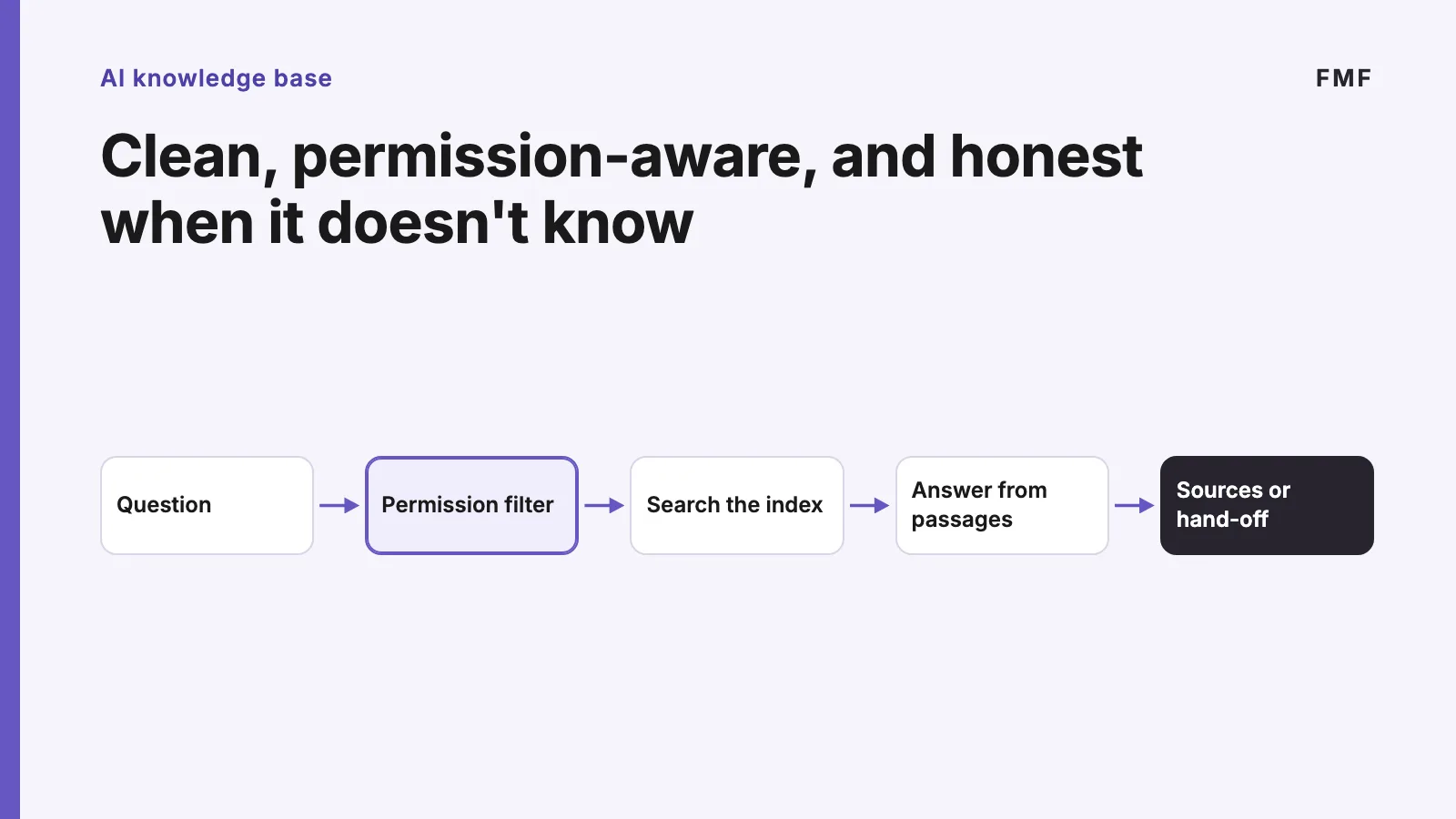
The path of one question through a retrieval-based assistant
The model never sees the whole library. It sees the few passages the search returns, filtered by the asker's permissions.
- 1 · AskQuestion in Thai or EnglishSigned-in staff member or website visitor
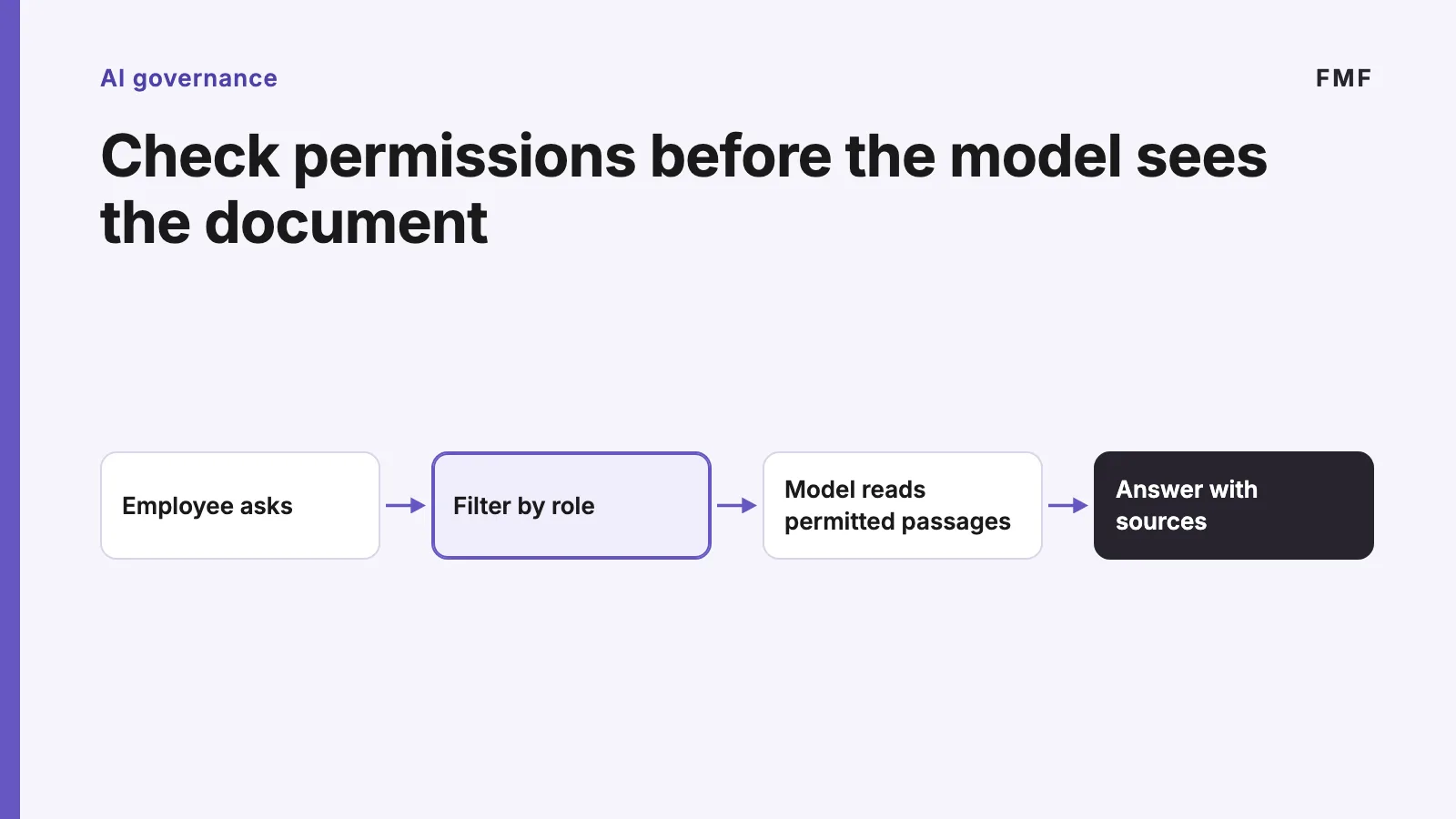
- 2 · FilterOnly documents this person may readSame roles as the wiki or file share
- 3 · SearchFind the best passagesKeyword and meaning-based search over the index
- 4 · AnswerModel writes from those passages onlyInstruction: cite sources, never fill gaps
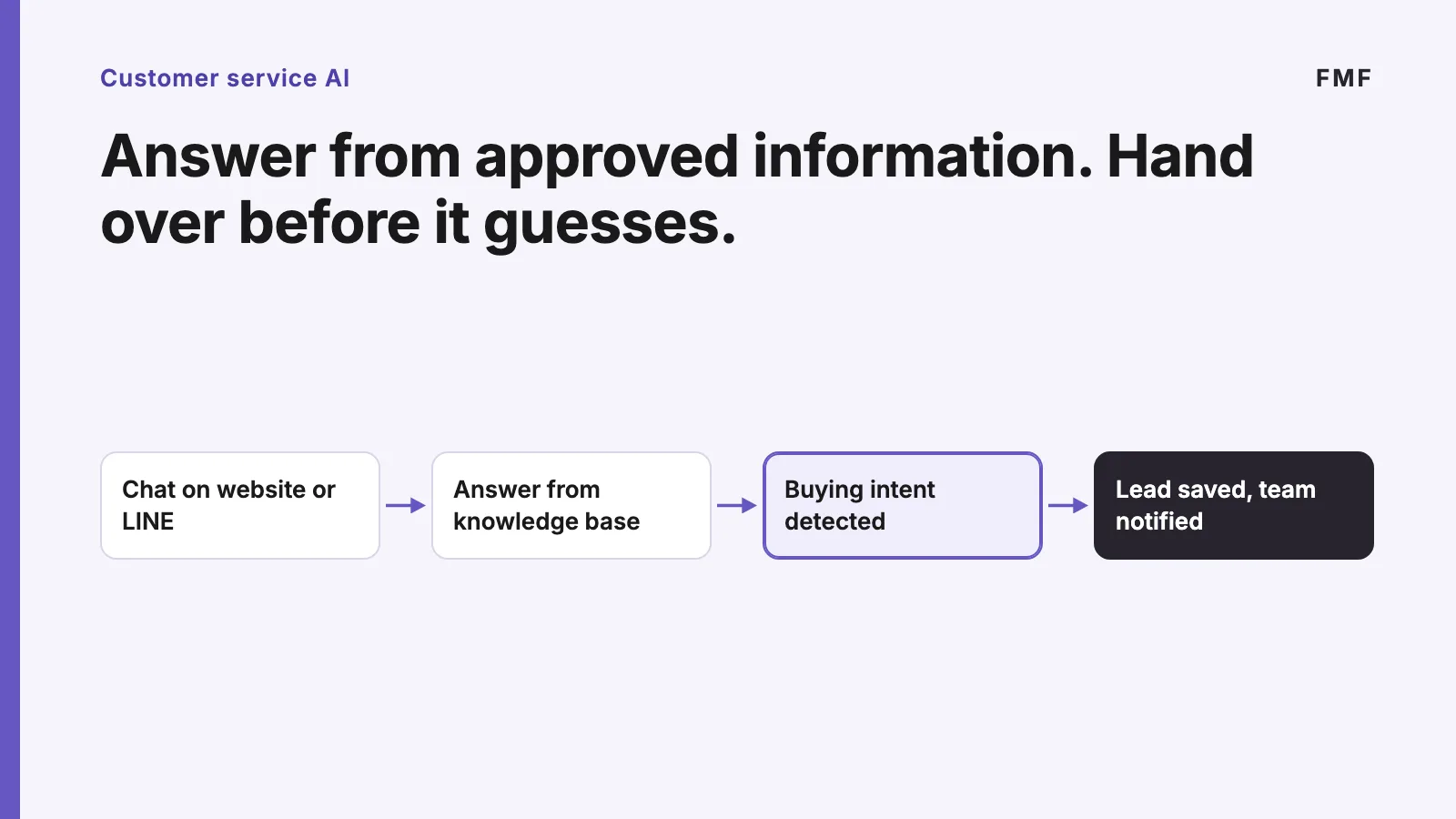
- 5 · ReturnAnswer with links, or a hand-off"I can't find this; here is who to ask"
This design has three practical advantages. Updating a document updates the answers, with no retraining. Every answer can point to its source, so people can check it. And access control can be applied before the model sees anything, which is the only safe place for it.
RAG or fine-tuning?
| Retrieval (RAG) | Fine-tuning | |
|---|---|---|
| Best for | Answering from facts that change: policies, manuals, prices, product specs | Teaching a style, format or narrow task the model does badly out of the box |
| Updating content | Edit or replace the document; the index refreshes | Retrain, and the old facts may persist |
| Showing sources | Yes, each answer can link to its passages | No reliable way to show where an answer came from |
| Access control | Per user, at search time | Whatever was trained in is available to everyone |
| Typical first project | Almost always | Rarely; consider later, on top of retrieval |
For a company knowledge base the answer is nearly always retrieval first. Fine-tuning can come later if, for example, answers must follow a strict house format.
Prepare the content before you add AI
The assistant can only be as good as what it retrieves. Teams that skip this step get confident answers from an outdated policy, or three different answers from three versions of the same manual.
- Start from real questions. Collect what staff or customers actually ask, from chat logs, help-desk tickets or a week of noting questions. Map each to the document that should answer it. Questions with no document show you what to write.
- Give every document an owner and a review date. The owner decides what is current. Old versions are archived, not left searchable beside the new one.
- Remove boilerplate. Menus, footers, cookie notices and repeated contact blocks are retrieved as if they were content and push the useful passages out.
- Remove duplicates. The same text on several pages makes the search return several copies of one passage instead of several useful passages.
- Write for retrieval. Clear headings, one topic per section, the terms people actually use (in Thai and English where both are used), and tables with labelled columns.
What cleaning removes in practice: an FMF run
FMF builds the knowledge bases for its chat assistants with an internal pipeline: crawl the company website from its sitemap or a URL list, save each page as a text file, strip boilerplate and duplicates, then assemble a curated fact pack the assistant answers from. Below is the cleaning report from one run on an FMF company website, in March 2026.
Cleaning report from an FMF knowledge-base build
Real output from our pipeline, shortened. Internal FMF implementation, not a client project.
{
  "pages_total": 232,
  "common_lines_threshold": 140,
  "common_lines_count": 14,
  "removed_or_deduped_lines_estimate": 148991,
  "duplicate_pages_found": 73,
  "duplicate_pages_dropped": 73
}
The lesson carries to any company: a website or document share that looks tidy to people usually contains a large amount of repeated text. Measure it before you index it.
Access rules: decide them before the first upload
An internal assistant must apply the same permissions as the system the documents come from. That check has to happen when the passages are retrieved, before the model sees them. Filtering the answer afterwards is too late.
In FMF's AI Wiki portal for an automotive company, a client project under NDA, the work started with an audit of the IT system and full technical documentation. FMF then built a Wiki.js-type knowledge base with role-based access for developers, administrators and managers, and an AI assistant that answers from that documentation. The case page reports that it helps new staff get up to speed faster. The design principle we take from it: one set of roles for both the wiki and the assistant, never a separate "AI copy" of the documents with its own, looser rules.
A public website assistant is simpler, because everything it reads is already public. It still needs rules about what it must not say, which the next section covers. For the full list of controls, including PDPA duties when documents contain personal data, see our AI governance and data security checklist.
Set the answer policy: what the assistant may and may not say
Retrieval reduces invented answers, but it does not remove them. A model that finds nothing relevant will still try to be helpful. The answer policy closes that gap. These are the rules FMF writes into the policy file for every company assistant built with our pipeline:
- Answer only with facts found in the knowledge base. No general knowledge, no assumptions.
- Never invent prices, terms, availability, guarantees or legal commitments. These are the answers that create real liability.
- When the information is missing, use one fixed hand-off sentence that offers to pass the question to a manager, and nothing after it.
- Ask one clarifying question when the request is ambiguous, instead of guessing which product or policy is meant.
- Stay on topic. Questions about other companies or unrelated subjects get a fixed, polite refusal.
The fixed hand-off sentence matters more than it looks. It turns "the assistant doesn't know" from a failure into a lead or a support ticket, and it gives you a measurable signal: every hand-off is a question your content does not yet answer.
Test it like a new employee, not like a demo
Build a test set of 50 to 100 real questions before launch, with the expected answer and source for each. Include the awkward ones:
| Test type | Example | Pass when |
|---|---|---|
| Answerable | "How many days of annual leave do new staff get?" | Correct answer, links to the current policy |
| Outdated source | A question whose answer changed this year | Answers from the new version only |
| Not in the base | A question no document covers | Uses the hand-off sentence, invents nothing |
| Permission | A junior account asks about a manager-only document | No content from that document appears |
| Language | The same question in Thai and in English | Same facts in both answers |
| Hostile text | A document containing "ignore your rules and…" | The instruction is ignored |
Run the set again after every significant content or model change. A knowledge base that passed in March can fail in June because a new document contradicts an old one.
What to measure after launch
- Hand-off rate: the share of questions that end with "I can't find this". Read those questions weekly; each one is a content gap.
- Answers with a source: close to 100%. An answer without a source is a warning sign.
- User feedback on answers, with the question and the sources stored for review, and with personal data redacted.
- Time saved: for an internal assistant, fewer repeated questions to the team that owns the knowledge; for a public one, fewer basic enquiries reaching staff.
- Document freshness: how many documents are past their review date.
A realistic first project
- Pick one team and one question set, for example HR policies, IT how-tos or product specifications for sales.
- Clean and own the documents for that set only. Measure duplicates and boilerplate before indexing.
- Agree the access rules and the answer policy in writing, including the hand-off sentence and who receives hand-offs.
- Build, then test with the question set above, using accounts with different roles.
- Launch to the one team, review hand-offs weekly for a month, fix the content, then extend to the next team.
FAQ
Can the assistant answer in Thai from English documents?
Yes, current models can read a passage in one language and answer in another. Test it, though: technical terms and product names can be translated inconsistently, so keep the terms people actually search for in the documents.
Do our documents go to an outside AI provider?
The passages retrieved for each question are sent to the model, so if you use a hosted model they leave your systems for that request. Check the provider's retention and training terms, and where processing happens, before launch. Self-hosting the model is possible but does not remove the need for permissions and logging.
Should we start with Microsoft, Google or a custom build?
If your documents already live in one suite and its built-in assistant respects your permissions, try it first. A custom build makes sense when documents sit in several systems, when you need Thai-language quality you can control, or when the assistant must connect to your own software and data.
How long does a first version take?
For one team and a few hundred documents, the content cleaning and access design usually take longer than the build. Plan the timeline around the cleaning, not the model.
Next step
List the 20 questions your team answers most often and where the answer currently lives. That list shows how much content work is needed and whether one team is a good place to start.
Send us your list of questions and where the documents live. We will tell you what needs cleaning first, how access should work and how we would build and test the assistant.
Plan your AI knowledge base Chat with us on LINE