info@fmf.co.th
 (+66) 097-034-6625
 LINE it!
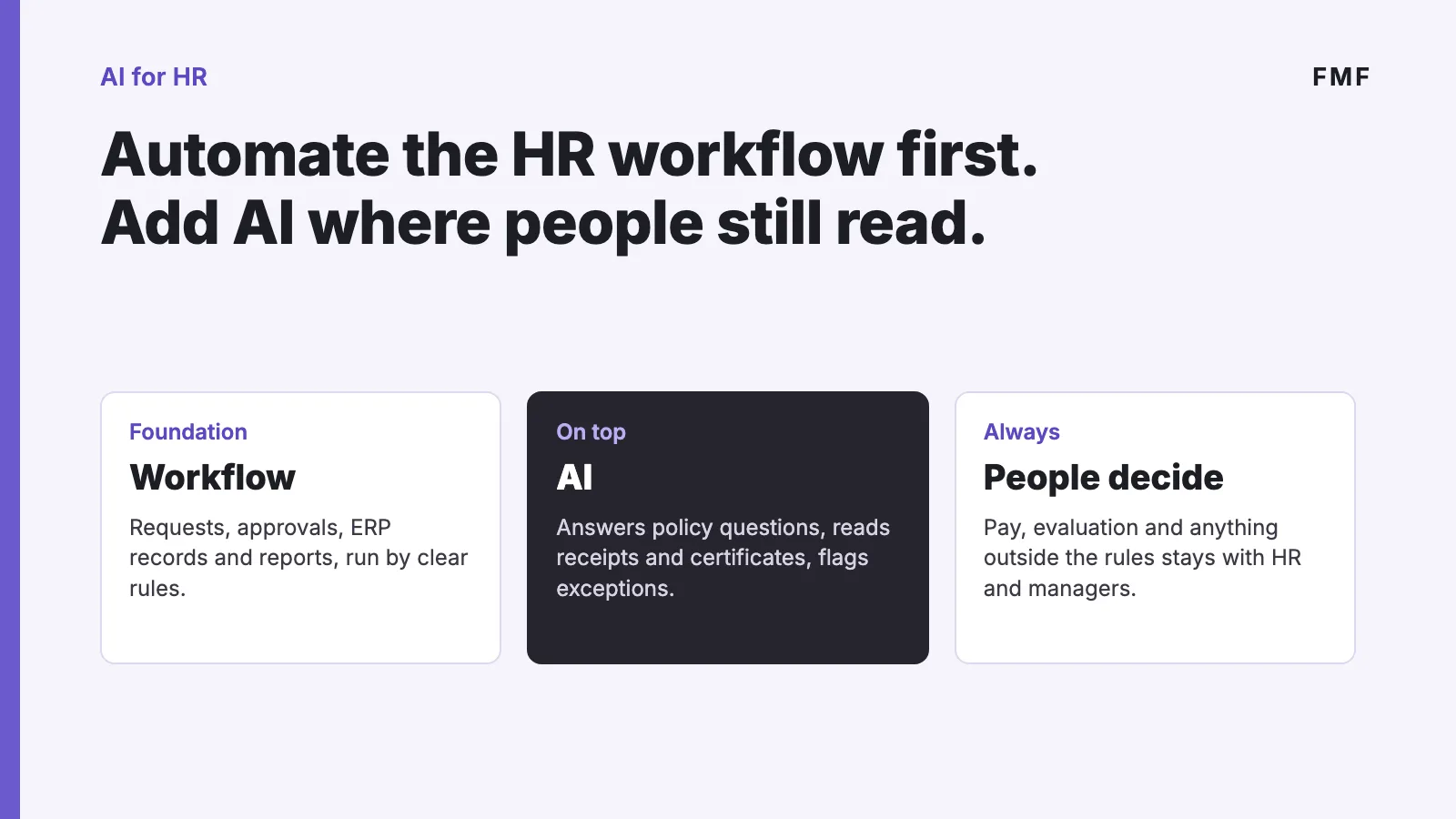
AI helps HR most where staff spend time reading, answering and checking: policy questions, documents attached to requests, and exceptions in attendance or expense data. It works best on top of HR processes that are already automated, with clear rules, approval routes and data in one system. Start by automating the workflow (requests, approvals, records, reports), then add AI to the steps that need reading or judgement, and keep decisions about people with people.
This guide is for HR, operations and IT managers in Thailand who want to cut manual HR work. It separates two things that are often mixed up: workflow automation, which FMF has delivered and published for KIA Motors, and AI applications, which build on that foundation. It covers which HR processes to start with, what AI can add, the data and PDPA requirements, and how to measure the result.
Automation first, AI second
Most HR delay comes from routing, not from thinking: a form waits for a signature, a manager forgets to approve, a spreadsheet is retyped into the ERP. Rules-based workflow automation removes that. AI is useful for a narrower set of steps, where the input is unstructured text or the task needs a judgement that rules cannot capture. Adding AI to a process that still runs on paper and email usually automates the confusion.
| Layer | What it does in HR | Example steps |
|---|---|---|
| Workflow automation | Moves requests through fixed rules and approvals, creates records, sends reports | Leave request → manager approval → ERP order → calendar entry; monthly attendance report to each manager |
| AI on top | Reads, classifies, answers or flags, with a person deciding | Answer a policy question with the source; read a medical certificate or receipt; flag unusual attendance patterns for review |
What FMF has automated in HR: the KIA Motors cases
FMF built three HR workflow modules for KIA Motors. These are workflow automation projects with rules, approvals and ERP integration. The published case pages do not describe AI in them, and we do not present them as AI projects. They show the foundation that AI applications need.
| Process | What was automated | Published result |
|---|---|---|
| Attendance | Attendance log module in the corporate portal, a personal key code used at the checkpoint, departures and delays agreed with supervisors, weekly or monthly Excel reports for employees and supervisors, a departmental log | Time-tracking process life cycle reduced by 80% |
| Vacation planning | Annual planning notice, staged approvals, checks for overlapping vacations in a department, orders created in the ERP system, approved vacations added to calendars | Vacation arrangement life cycle reduced by 30% |
| Business travel | Trip requests with automatic calculation of allowances, travel agency notification, approvals, ERP orders, post-trip expense reports to accounting | Trip arrangement life cycle reduced by 47% |
Where AI can add value in HR processes
The applications below are potential uses, not results of the KIA projects. Each one assumes the workflow underneath already exists.
Employee questions about policy
An assistant answers questions such as "how many sick days do I have left" or "what can I claim on a business trip" from the approved policy documents and the employee's own records, and shows the source. HR handles the questions it cannot answer. Our guide to building an AI knowledge base for companies covers access rules and testing.
Documents attached to requests
Leave and expense requests often come with attachments: medical certificates, receipts, tickets. AI can read them, fill the fields and flag mismatches, such as a receipt date outside the trip dates, for a person to check. The same document-processing approach is described in our guide to AI document processing for finance.
Exceptions in attendance and expense data
Rules catch known problems, such as a missing check-out. AI can help surface patterns rules miss, such as unusual overtime in one team, for HR to review. A flag is a prompt for a conversation, not a conclusion about an employee.
Drafting, not deciding
AI can draft job descriptions, onboarding checklists or summaries of survey comments for HR to edit. Decisions that affect a person's employment, pay or evaluation should stay with people. Automated screening of candidates or performance carries a high risk of unfair outcomes and needs separate legal and ethical review.
One HR request with an AI step
Example: an expense claim after a business trip. Hypothetical illustration.
- EmployeeSubmits claimReceipts attached
- AIReads receiptsFills amount, date, vendor
- RulesChecks policyLimits, trip dates, duplicates
- ManagerApprovesSees flags, decides
- SystemSends to accountingRecord kept in the ERP
Which HR process to start with
- High volume and clear rules: leave, attendance corrections, business trips and expense claims are good first candidates for workflow automation.
- Repeated questions: if HR answers the same policy questions every week, an assistant on approved documents is a good first AI step.
- Attachments that are retyped: if staff copy data from receipts or certificates, document reading pays back quickly.
- Avoid as a first project: hiring decisions, performance ratings and dismissals.
For the system side of each process, see our Thai guides to an employee attendance system, an online leave approval system and a business trip approval system.
Implementation requirements
- One source of truth for employee data, usually the HR system or ERP, with stable employee IDs.
- Written rules and approval routes for the process, including exceptions and who decides them.
- Integration with the ERP, calendar and email, so approved requests become records without retyping.
- Access control by role: employees see their own data, managers their team's, HR what its role requires.
- PDPA: HR data includes sensitive personal data, such as health information on medical certificates. Limit what the AI model receives, check where the provider processes data, and keep logs protected. See our AI governance and data security checklist.
How to measure the value
| Metric | How to measure |
|---|---|
| Process life cycle | Time from request to completed record, before and after. This is the measure published in the KIA cases |
| HR hours per month | Time spent routing, retyping and answering questions |
| Errors and rework | Requests returned, wrong amounts paid, records corrected |
| AI accuracy | Share of AI-filled fields and answers confirmed correct in a reviewed sample |
| Questions resolved without HR | For an assistant, checked against a sample, not the assistant's own report |
FAQ
Do we need AI to automate HR?
No. Most of the time saved in HR comes from workflow automation: routing, approvals, records and reports. The KIA cases above are examples. AI is worth adding once the workflow exists and specific steps still need reading or judgement.
Can AI approve leave or expenses?
Rules can approve requests that meet clear criteria. AI should prepare and flag, and a person should decide anything outside the rules.
Is it safe to send HR data to an AI model?
Only the fields the task needs, under a business agreement with the provider, with sensitive data removed where possible and PDPA duties applied. This article is not legal advice.
Illustrative budget
Planning scenario. These figures apply FMF's standard rate of THB 1,000 per hour to hypothetical inputs. FMF quotes each project after scoping.
For adding receipt reading to an existing, already automated expense workflow, with field extraction, policy checks and review by the approver, assume 80 hours of delivery work (10 eight-hour days): a THB 80,000 build, plus model usage that depends on the number of receipts.
Next step
Pick one HR process and note how many requests it handles each month, how long one takes from request to record, and where staff retype or answer the same questions. That shows whether to start with workflow automation, an AI step, or both.
Automate an HR process with FMF
FMF can map one HR process, automate its requests, approvals and records, and add AI where staff still read documents or answer repeated questions. Tell us the process, the systems you use (HR system, ERP, portal) and where time is lost today.
Explore AI business automation services and see the KIA Motors business travel automation case.
Discuss HR automation Chat with us on LINE